Keeping cables and chargers organized can be a challenge, especially when you have multiple devices at home or work. Tangled cords not only look messy but can also make it difficult to find the right charger when you need it. Fortunately, with a few simple steps and common tools, you can transform your cluttered cables into a neat, accessible system. This guide will walk you through practical tips and creative ideas to keep your cables and chargers tidy and manageable.
Why Organize Cables and Chargers?
Before diving into the methods, it’s helpful to understand the benefits of organizing cables:
– Reduces clutter: A clean and tidy space helps you feel more relaxed and productive.
– Makes charging easier: You’ll quickly find the right cable when you need it.
– Extends cable life: Proper storage prevents cables from bending and breaking prematurely.
– Enhances safety: Organized cords reduce tripping hazards and prevent damage to devices.
Step 1: Gather and Sort Your Cables
Start by collecting all your cables and chargers in one place. This might include phone chargers, laptop power cords, USB cables, headphones, and power strips.
– Sort by type: Group similar cables together, such as USB cords, HDMI cables, or power adapters.
– Assess use: Identify cables you use often and those you rarely need. Consider donating or recycling unused cables.
– Label cables: If cables look similar, label them with small tags or masking tape to avoid confusion later.
Step 2: Choose the Right Storage Solutions
There are many ways to store cables depending on your space and preferences. Here are some popular options:
Cable Organizers and Holders
– Cable clips: Attach these to your desk or wall to hold cables in place.
– Cord wraps and ties: Use Velcro straps, twist ties, or reusable cable ties to bundle cables neatly.
– Cable boxes: These enclosures hide power strips and excess cords for a cleaner look.
DIY Storage Ideas
– Mason jars or small containers: Store short cables by rolling them and placing them inside clear jars.
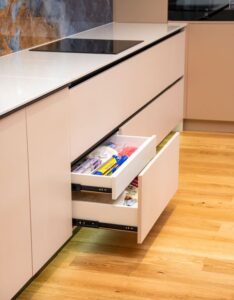
– Drawer dividers: Use compartments to separate cables by type within a drawer.
– Binder clips: Clamp cables and attach the clips to the edge of your desk for easy access.
Step 3: Organize and Store Cables Properly
Once you’ve chosen your storage method, follow these tips to keep everything neat:
– Coil cables loosely: Avoid wrapping cables too tightly, which can damage internal wiring.
– Use cable ties sparingly: Secure cables with ties, but avoid making knots.
– Keep frequently used cables accessible: Store everyday chargers somewhere easy to reach.
– Store extra lengths separately: For longer cables, coil the excess length and secure it to avoid tangles.
Step 4: Manage Cables in Your Charging Area
Charging stations are common places where multiple cables come together. Here’s how to keep this area organized:
– Use a dedicated charging station: These devices have built-in slots for phones, tablets, and other gadgets while hiding wires.
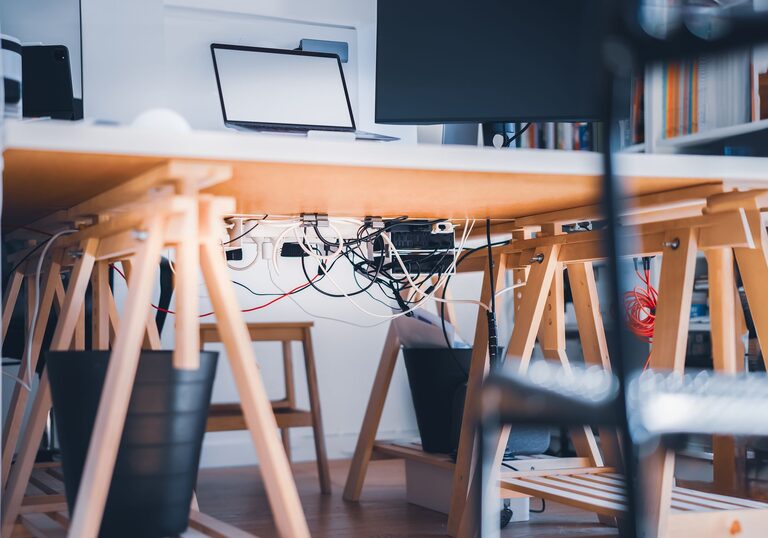
– Mount power strips: Attach power strips under desks or behind furniture to keep plugs off the floor.
– Separate cables by device: Use cable holders or labels to keep phone chargers, tablet cables, and laptop cords separated.
– Consider wireless charging: When possible, use wireless chargers to reduce the number of cables needed.
Tips for Maintaining Cable Organization
Organizing cables once is great, but keeping them tidy takes ongoing effort. Here are some habits to help:
– Regularly check and tidy: Once a month, review your cables and reorganize as needed.
– Replace damaged cables: Safety first—discard frayed or broken cords immediately.
– Keep spare cables handy: Store extra chargers in one spot so you can find them quickly.
– Minimize cable clutter: When buying new devices, choose those with shorter or detachable cables if possible.
Conclusion
Organizing cables and chargers doesn’t have to be a daunting task. By sorting your cables, choosing the right storage options, and maintaining good habits, you can create a clean and efficient space that makes your daily life easier. Whether it’s a home office, entertainment center, or bedside table, a little effort goes a long way in keeping cables neat and accessible.
Take a few minutes to implement these tips and enjoy a clutter-free, well-organized environment!